A connected dispatch day
Give booking, production and route teams the same order and quantity context, so each handoff has a record to work from.
 smartcode SYSTEMS
Solutions
Let’s talk
smartcode SYSTEMS
Solutions
Let’s talk
From production floor to the customer’s door.
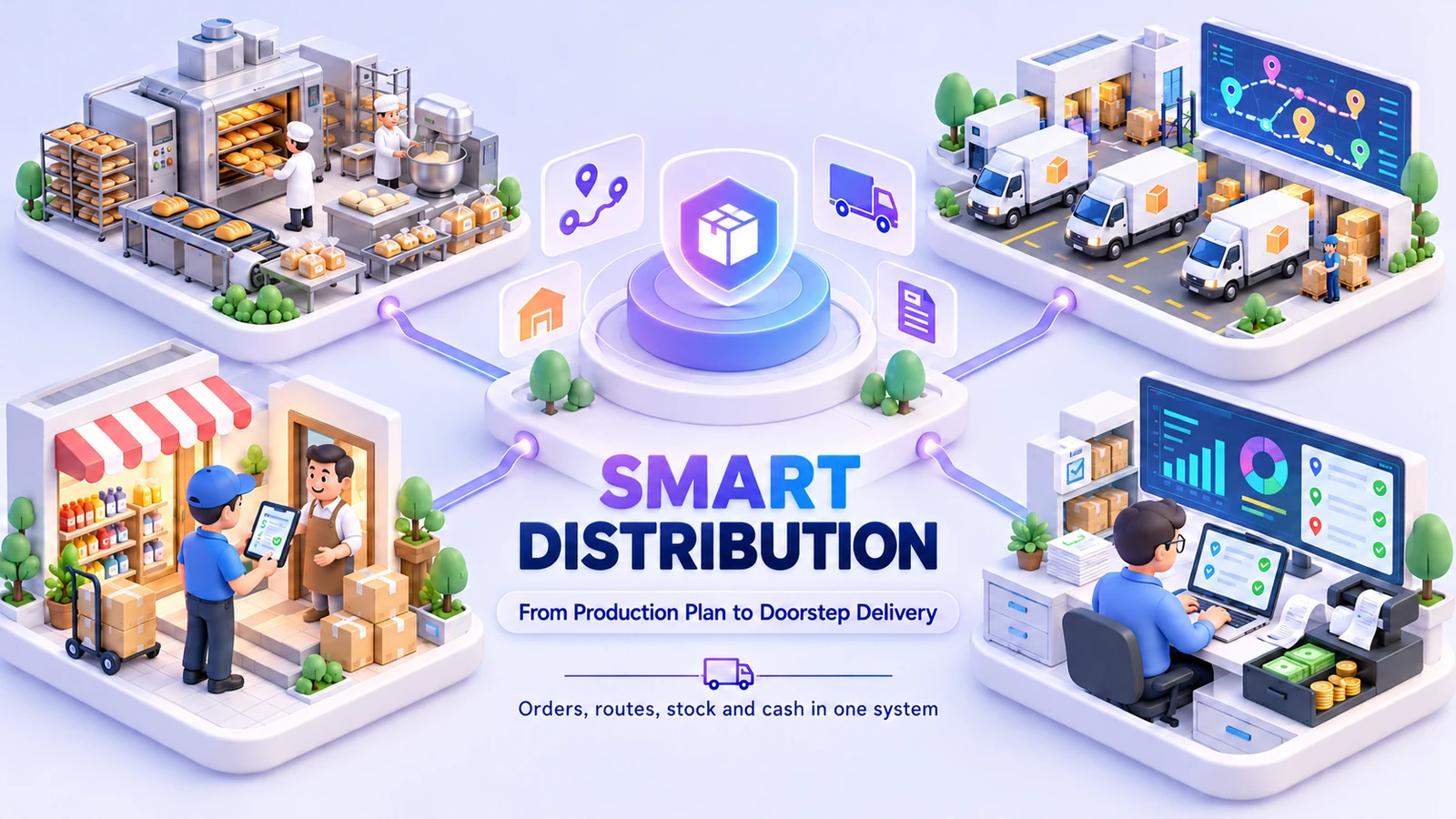
Connect production, route dispatch, retail sales and cash collection. Follow every order from the booking desk to delivery and settlement.
 One connected workspaceSmart Distribution
Your everyday workflow, connected.
The whole picture
Designed for
Plan production against booked demand, load vehicles and assign route sheets to delivery agents. Keep delivered quantities, proof of delivery, returns, reusable trays and customer credit connected to daily cash reconciliation and finance.
Distribution is a chain of handoffs: the booking desk commits quantities, production prepares stock, dispatch loads a vehicle and the route team collects money. The workspace keeps those handoffs linked rather than treating each as a separate spreadsheet. Managers can follow booked demand, goods sent out, delivery differences and collections through the same daily operating cycle.
Give booking, production and route teams the same order and quantity context, so each handoff has a record to work from.
Keep loads, deliveries, returns and trays linked to their movements. Delivery differences remain visible for review.
Follow the money alongside the customer transaction and route, with reconciliation and overdue follow-up in the same workflow.
The friction we help remove
Bring the handoffs, records and follow-through into the same operating picture.
Included capabilities
A closer look at the records, decisions and team handoffs behind each part of the solution.
Capture customer requirements before production and dispatch begin. Recurring standing orders keep repeat demand visible, while the daily booking picture gives the team a common starting point for quantities and preparation.
Connect production planning to the stock that the dispatch team needs. Keep the product and quantity context through preparation, so route loading and retail counter sales draw on the same operating records.
Allocate loads to vehicles and delivery agents, then follow the route sheet rather than a disconnected delivery note. The dispatch board provides a shared view of the work leaving the facility.
Record what happened at the stop, including proof of delivery, short deliveries and returned goods. Reusable trays and their charges remain part of the route record instead of disappearing into a separate register.
Keep the collection connected to the customer and sales record. Review cash received, reconcile the route and follow credit or overdue balances with the financial team, rather than reconstructing the visit from receipts.
Run the retail counter alongside route sales with connected stock, purchasing and finance. Barcode labels and transaction records help the team maintain the same product picture across the factory, counter and accounts desk.
The everyday journey
Follow a typical transaction through the teams that keep it moving.
The booking team records customer quantities and reviews repeat orders. Production works from that demand picture, with the product catalogue and available stock providing context for the day’s preparation.
Dispatch selects the vehicle, route and agent, then records the load. Route sheets keep the delivery stops linked to the goods that left the facility.
At the stop, the team records delivered quantities, differences and returned trays or products. Proof of delivery and collection records keep the physical handoff and payment context together.
The finance team reviews money collected against the route transactions. Credit, shortages and outstanding items remain visible for follow-up instead of being lost when the vehicle returns.
Where it fits
Illustrative scenarios showing how the capabilities work together.
A business prepares goods for several recurring customer routes. The booking desk reviews standing orders, production sees the required quantities and dispatch assigns the prepared load to each vehicle. The route team then works from the same customer and order context.
An agent returns with cash, unsold goods and reusable trays. The team reviews delivered quantities and short deliveries before reconciling the collections. Goods and trays are recorded against their movements, and customer credit remains available for follow-up.
Prepare your workspace
Bring these details to the implementation discussion so the setup reflects your actual operation.
Yes. Standing orders are part of the Distribution module’s booking flow. The recurring order pattern is reviewed alongside current demand so production and dispatch can plan against the day’s requirements.
Short-delivery records, returned products, reusable tray movements and tray charges are supported. They stay connected to route operations so staff can review the difference between what was loaded and what was delivered.
Yes. Retail POS is included alongside route dispatch and sales. The implementation confirms your product units, stock locations and counter workflow so the two channels use a consistent inventory picture.
Yes. The implementation discussion starts with your records, team responsibilities and approval steps. We agree the configuration and any changes before rollout, then walk through a representative transaction with the people who will use the system.
Book a demonstration and bring examples of your current forms or operating process. We will distinguish the listed capabilities from separately scoped additions, confirm the data and device requirements, and prepare a proposal for your agreed implementation.
See it in your world
Show us how your team works. We’ll demonstrate the relevant capabilities and discuss the right scope.