Identify the right item
Keep the device’s identifier, condition and accessories recorded from the start of the repair.
 smartcode SYSTEMS
Solutions
Let’s talk
smartcode SYSTEMS
Solutions
Let’s talk
Repair work without the guesswork.
Follow phones, laptops and appliances from intake and diagnosis through repair, quality checks and pickup, with parts and customer approvals connected.
 One connected workspaceSmart Service
Your everyday workflow, connected.
The whole picture
Designed for
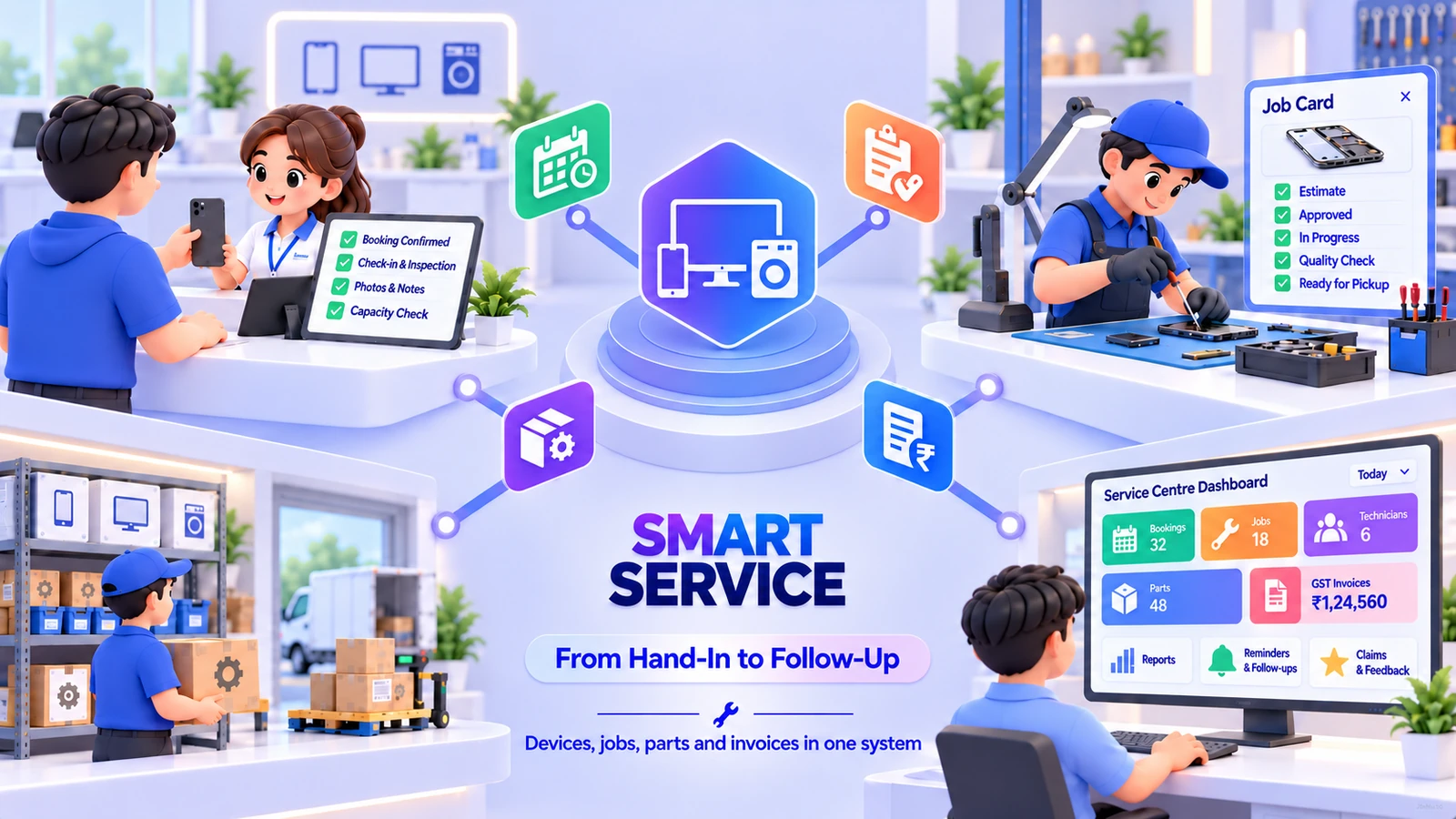
Capture device identifiers, condition and handed-in accessories at the service counter. Connect diagnosis and estimate approval to the technician’s job card, parts consumption and repair status, then complete quality checks, invoicing and warranty follow-up from the same record.
A repair counter needs to know exactly which device arrived, what condition it was in and what accessories were handed over. This service-centre edition connects that intake to diagnosis, the customer’s estimate approval and technician work. Parts usage, job holds and quality checks continue the same record, so invoicing and pickup can be completed with the repair’s history available.
Keep the device’s identifier, condition and accessories recorded from the start of the repair.
Follow diagnosis, estimate approval and technician status through the job card.
Review completed work, parts, quality checks and billing before returning the device.
The friction we help remove
Bring the handoffs, records and follow-through into the same operating picture.
Included capabilities
A closer look at the records, decisions and team handoffs behind each part of the solution.
Capture the device, condition and accessories received at the counter. Serial identifiers and IMEI-first intake help staff distinguish the item being repaired from other customer devices.
Record the diagnostic work and prepare the estimate in the job’s context. Customer approval defines the work that can continue into the repair rather than leaving the technician to interpret a separate message.
Assign the repair to a technician and retain its job-card status. Holds make waiting work visible, whether the team is following parts or another repair decision.
Connect the parts used in the repair to their stock and FIFO batch-cost context. Requests, purchases and returns keep the parts counter and technician working from the same repair requirements.
Follow a repaired device through quality checks before it is returned. The counter can review the completed work, parts and billing context while identifying the correct item for customer pickup.
Retain the device’s repair history with the brands, categories and identifiers used at intake. Warranty and reminder workflows help the team follow the service relationship after the device leaves the counter.
The everyday journey
Follow a typical transaction through the teams that keep it moving.
The counter identifies the device and records its condition and accessories. The customer and device record provide the starting context for the repair.
The diagnostic team records the work required and prepares the estimate. The repair moves forward with the customer’s approved scope attached to the job.
The technician follows the job card and records parts or holds. Quality checks provide the review step before the repair is treated as ready for pickup.
The counter completes billing and returns the identified device to the customer. The completed repair remains in the device history for warranty and subsequent service follow-up.
Where it fits
Illustrative scenarios showing how the capabilities work together.
A customer leaves a phone with a charger. The counter records its IMEI, condition and accessories, the diagnostic team prepares the estimate and the technician completes the approved repair before the item is checked and returned.
A technician identifies a required part and places the job on hold. The parts request retains the repair context, and the counter can follow the job into quality checks and pickup after the part is received and fitted.
Prepare your workspace
Bring these details to the implementation discussion so the setup reflects your actual operation.
The device-service mode in the Garage source covers phones, laptops, televisions and appliances. Device categories and serial or IMEI intake are configured around the items your shop handles.
Yes. Handed-in accessories and device condition are part of the intake workflow, alongside the identifiers used to distinguish the device.
The device mode uses device brands, categories, serial or IMEI identification and accessory intake. The vehicle edition uses vehicle records, registration and workshop-specific receiving context. They remain separate product offerings on this site.
Yes. The implementation discussion starts with your records, team responsibilities and approval steps. We agree the configuration and any changes before rollout, then walk through a representative transaction with the people who will use the system.
Book a demonstration and bring examples of your current forms or operating process. We will distinguish the listed capabilities from separately scoped additions, confirm the data and device requirements, and prepare a proposal for your agreed implementation.
See it in your world
Show us how your team works. We’ll demonstrate the relevant capabilities and discuss the right scope.